Impulse Scanner is a crypto screener for USDT futures on Binance, Bybit, OKX and BingX. Track price moves and volume bursts, compare markets and adjust detection filters. Open the free web scanner or use the Android and Windows apps.
Open the free crypto futures screener in your browser: a USDT futures table, price and volume impulses, candlestick charts and a market heatmap. The web version works on desktop and mobile without an account or exchange API keys.
Choose an exchange and movement window, then adjust price, relative volume and turnover thresholds to find markets with the activity you want to observe. Market coverage and calculation readiness are shown separately; larger lists warm up progressively. Public data availability depends on the exchange and network.
Confirmations use closed 15-minute candles. The web scanner runs in an active tab; use the app for background monitoring and overlays. A detection describes a change in market data, not a promise of price continuation or profit.
The scanner flags price and volume spikes using closed 15-minute candles. Use the screener to sort USDT perpetual futures by price movement or turnover, and open the crypto heatmap to see which markets are rising or falling.
Only a small public selection appears here: up to 6 new signal posts per day.
The app gives you the full feed, which can contain many times more signals than this public selection. Customize it for yourself: exchanges, movement window, price and volume thresholds, confirmations and notifications.
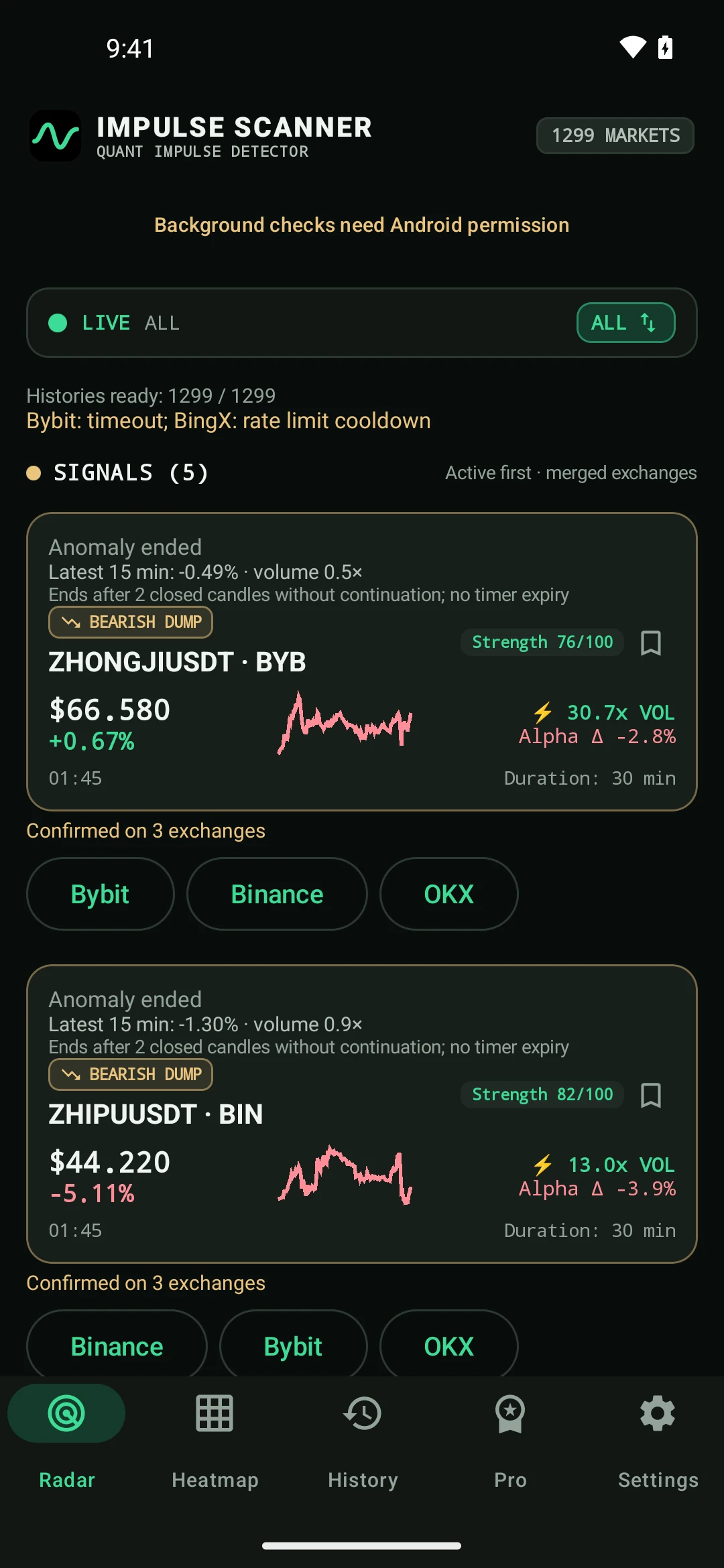
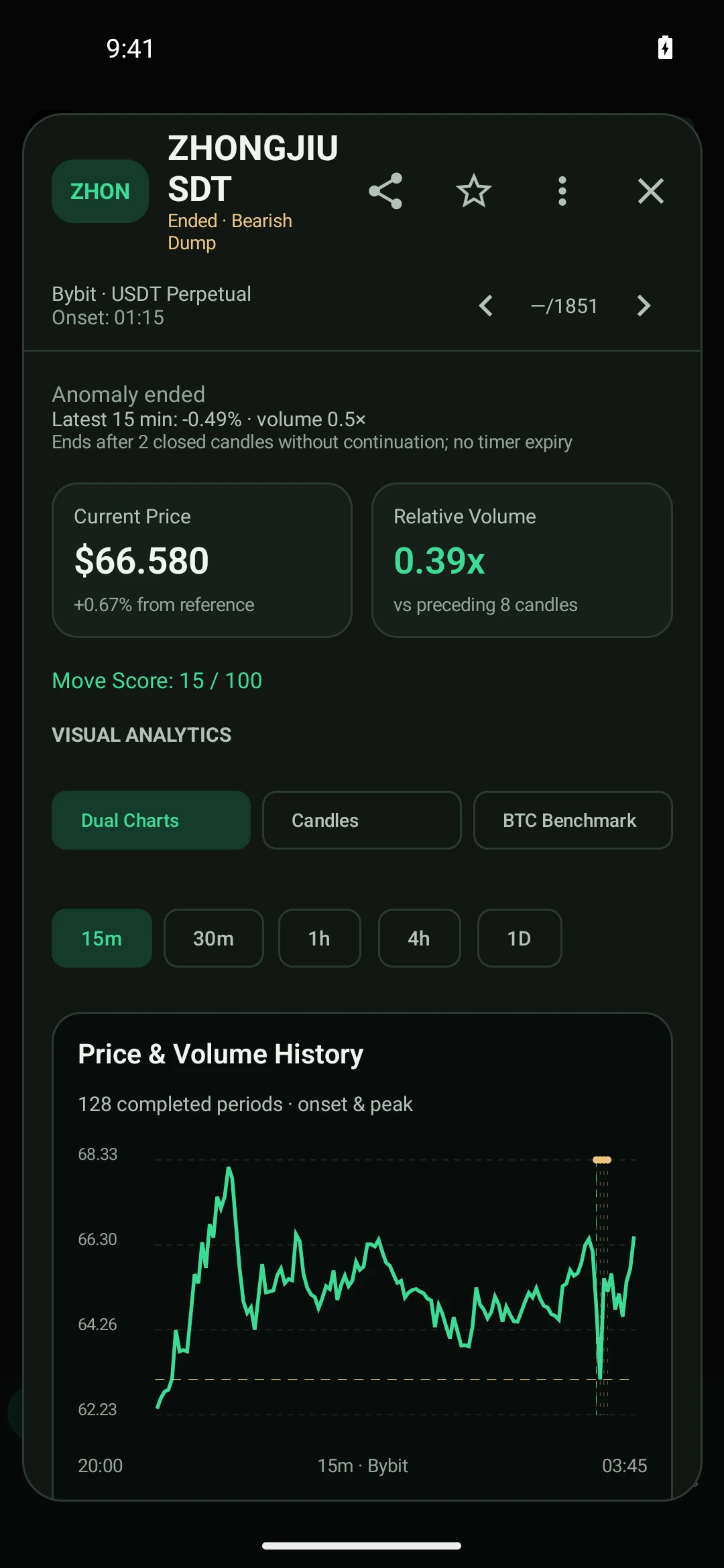
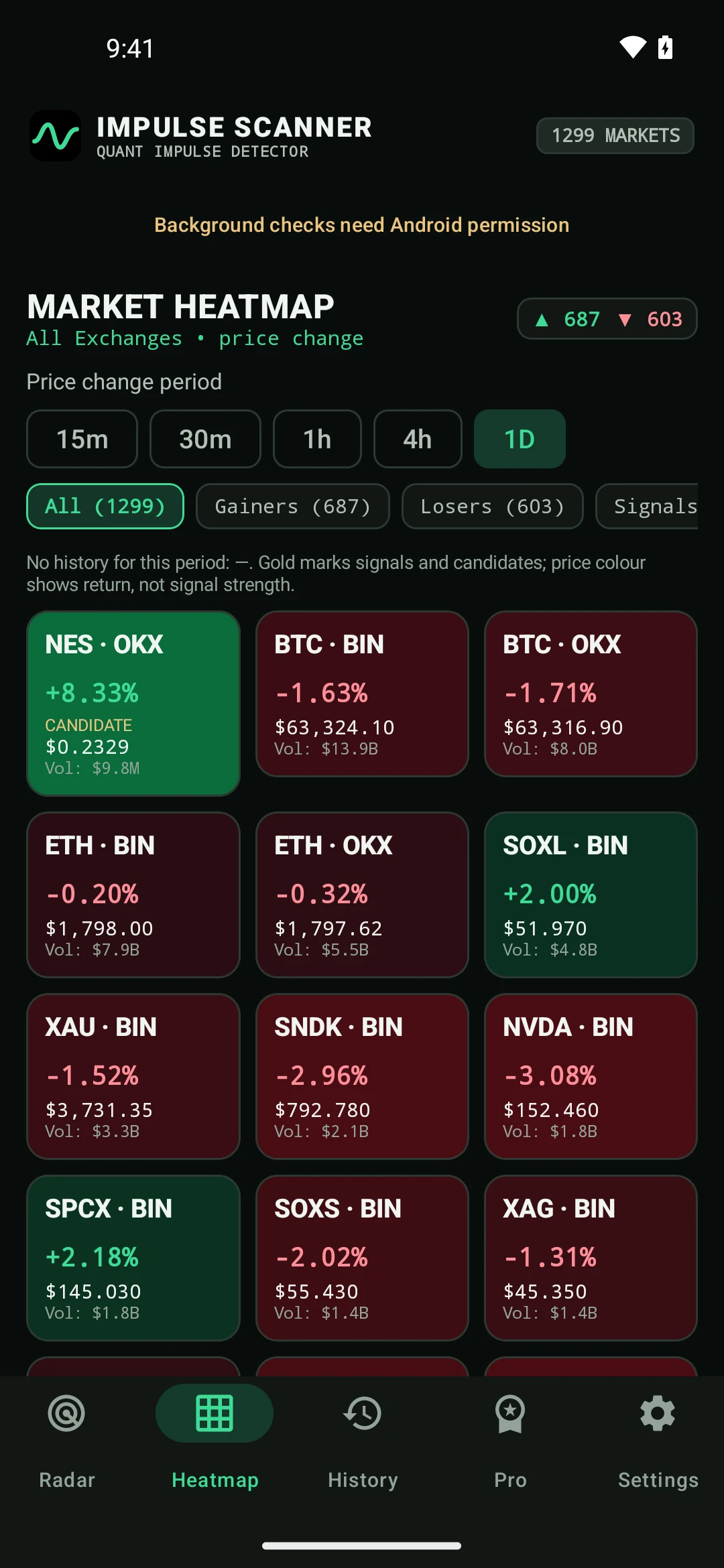
See app settings ↓Actual Android settings screens. The values shown are examples: choose sensitivity and notification settings that suit you.
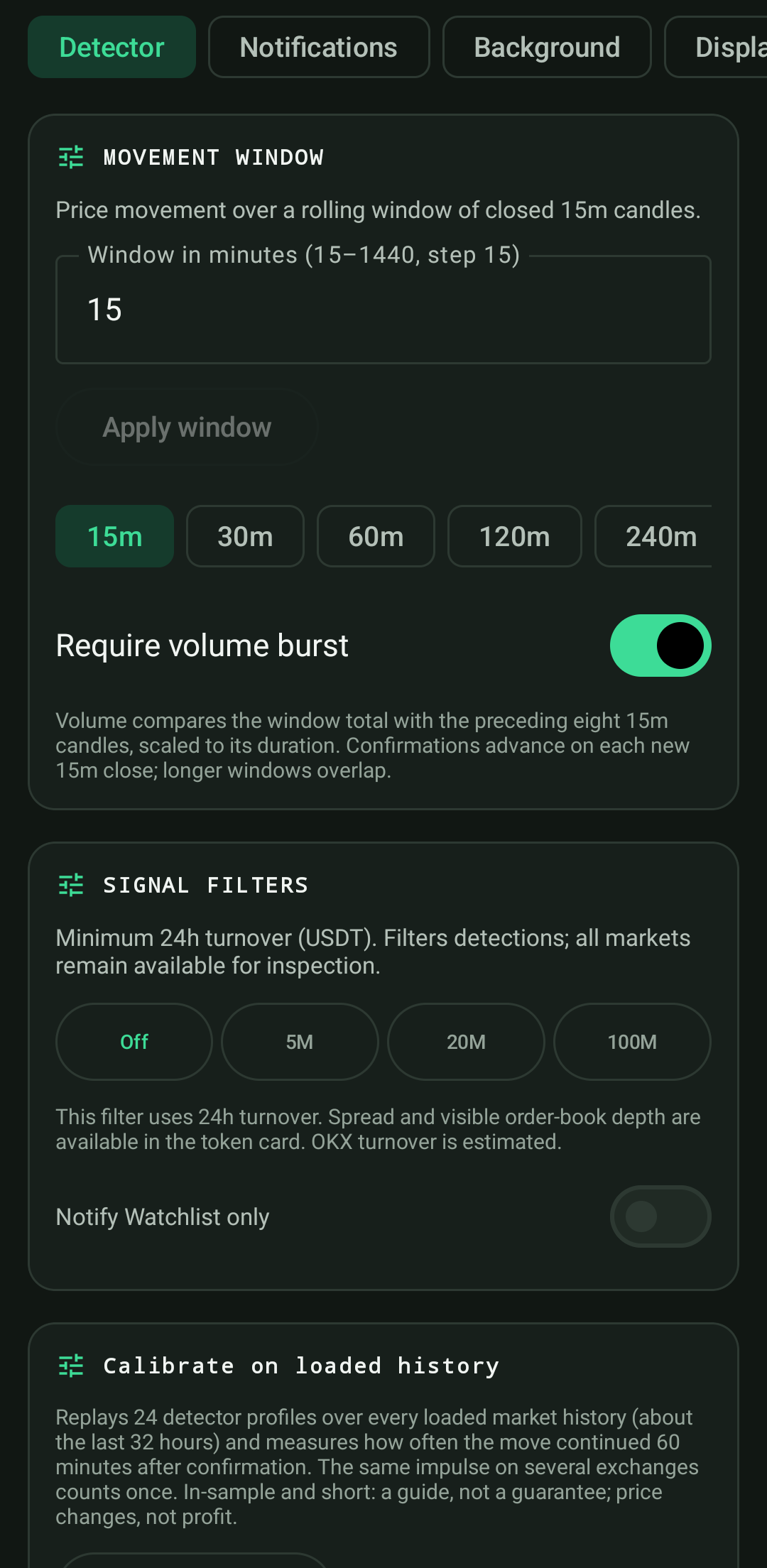
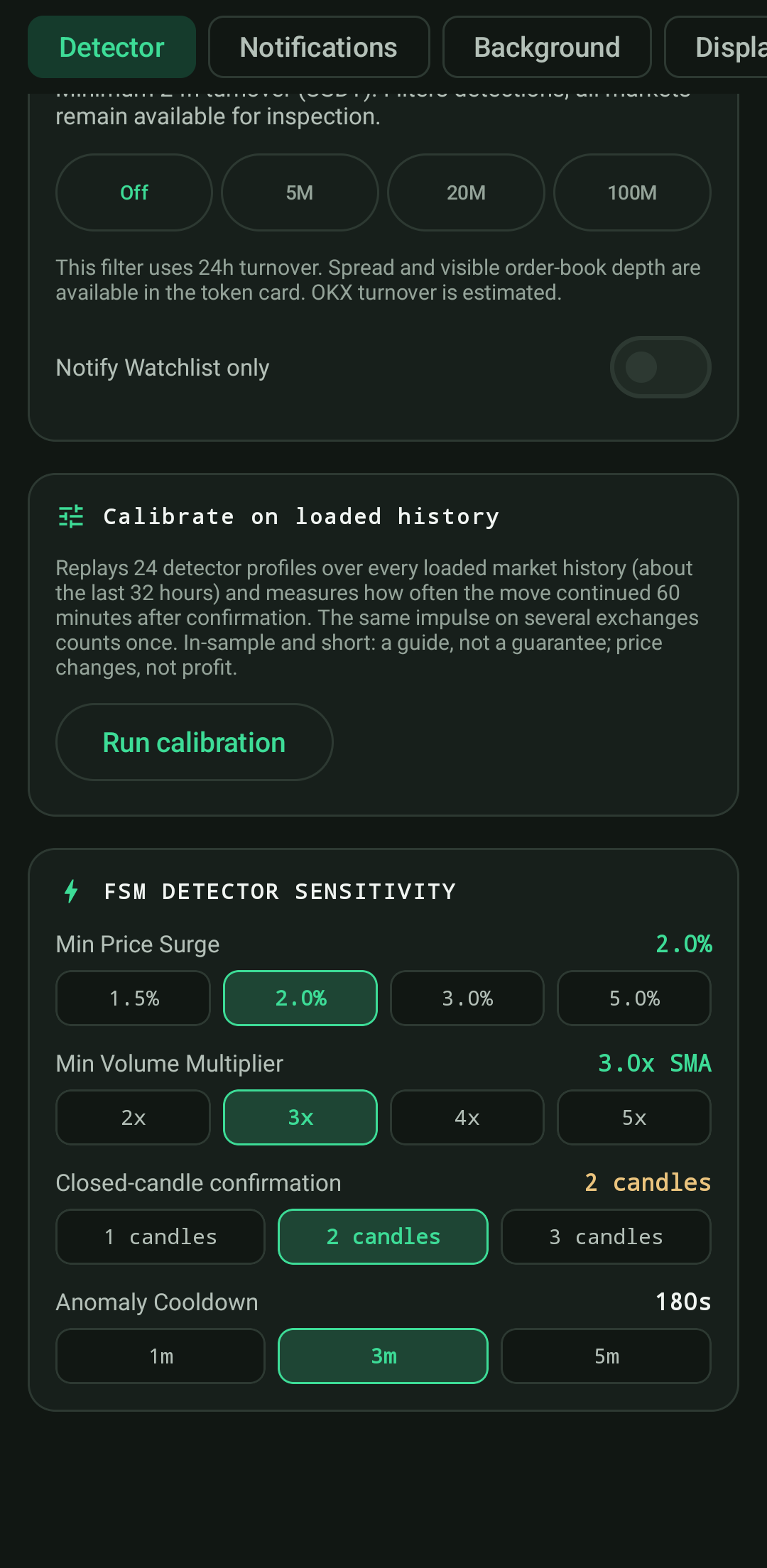
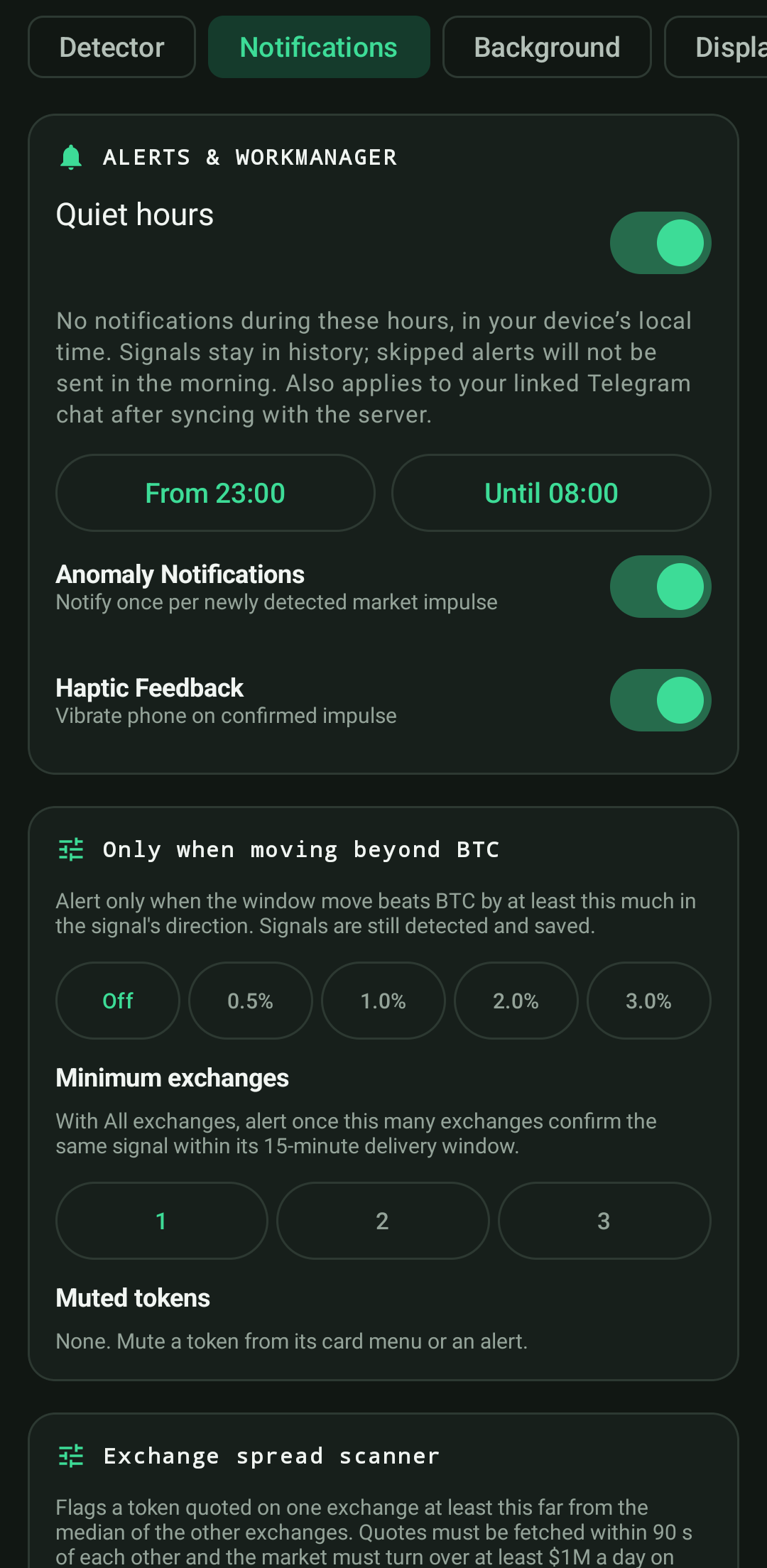
A snapshot at publication time. Check the app for the current signal state.
Loading publications…
Impulse Scanner recommends nothing. It collects, measures and structures what is happening in the market. The decision always stays with the trader.
The free scanner is not a teaser: it works fully, with no sign-up and no exchange API keys — the app uses public market data only.
Price move and volume burst on closed 15-minute candles, confirmation on the next candle, a lifecycle: running, fading, ended.
Every USDT perpetual with real turnover, comparison with BTC, cross-exchange spreads, a market heatmap.
A signal strip on top of any app and a separate price ticker for chosen pairs — with transparency, sizes and new-signal highlight.
Signal and price widgets, a Quick Settings tile to hide or bring back the overlays with one tap.
Candles on five timeframes, comparison with BTC, funding and open interest, a liquidity snapshot, price levels with alerts.
A remote-friendly Android TV interface, tablet layouts in both orientations and a desktop version for Windows.
Pro brings together market discovery, coin context, custom alerts and verification of observed outcomes. The browser demo illustrates the trend tool on three markets.
Pro is currently available in the Android and Windows apps through an extended trial period. Paid activation has not launched yet; Pro access may be extended during early access.
Stable trends and custom filters across four timeframes, pre-impulse and large-move radars.
Coin passport: impulsiveness, continuation, phase and smoothness. BTC regime, mood, breadth and the Capital Flow research view.
Alert rules combining conditions, a daily digest and a chosen summary hour. Android also includes the Pro Market home-screen widget.
Method self-checks on observed data, control markets, sample sizes and CSV exports of signals and journals.
All Pro tools and how they work → Try the three-market demo ↗
The full Pro guide covers market coverage, platform differences and data requirements.
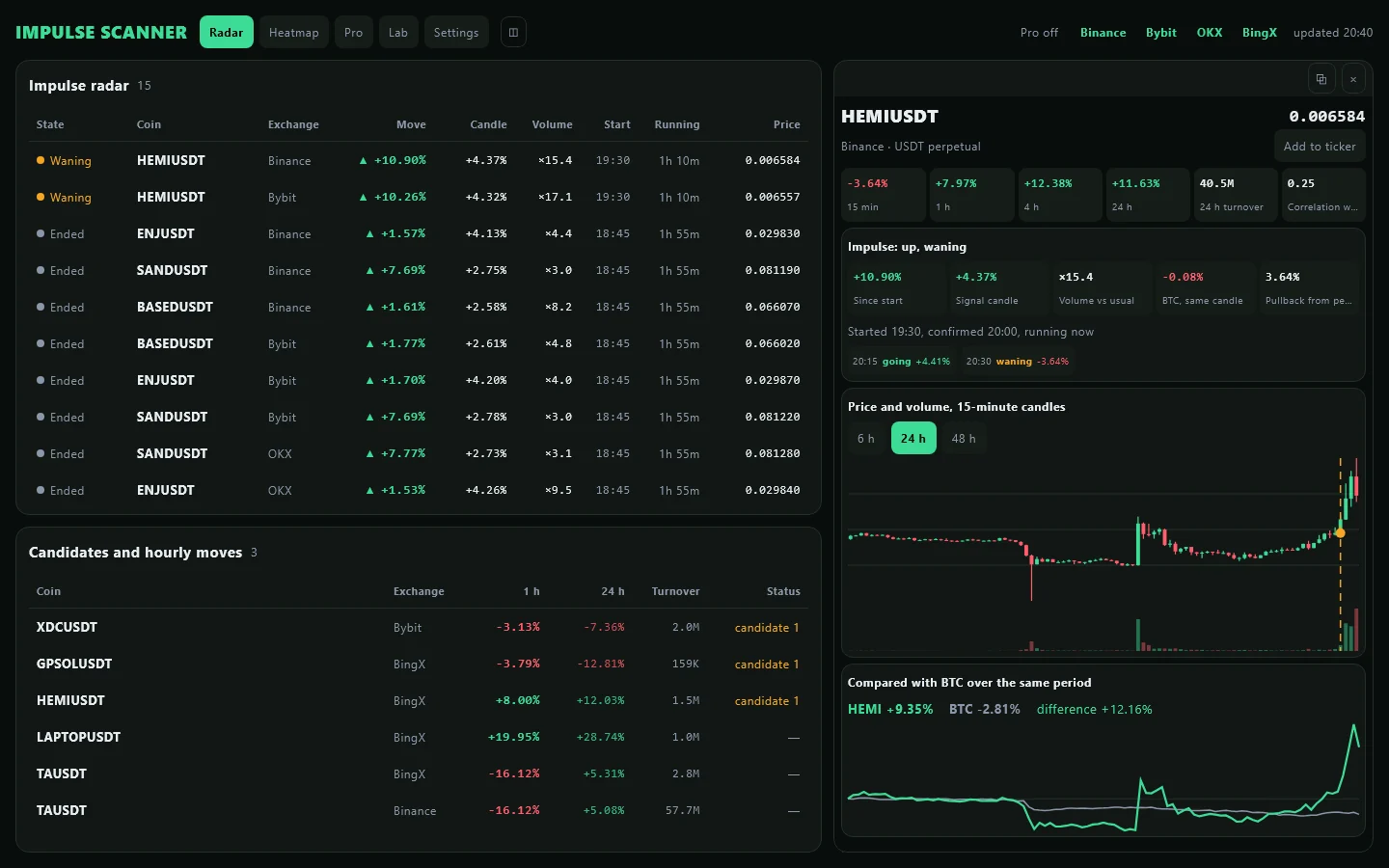
The same scanner on a big screen: signals and candidates as sortable tables, the coin card next to the list, a heatmap of the whole market. Split the window into two tabs, open any tab as its own window on another monitor, keep the ticker on top of everything. Switch exchanges on and off with one click. Coins moving +100% and more are marked ULTRA PUMP.
Android. Install the app through RuStore, or download the APK from this website.
Installing an APK for the first time? Android may ask you to allow installs for your browser and offer a file scan. Here is what to do in each case.
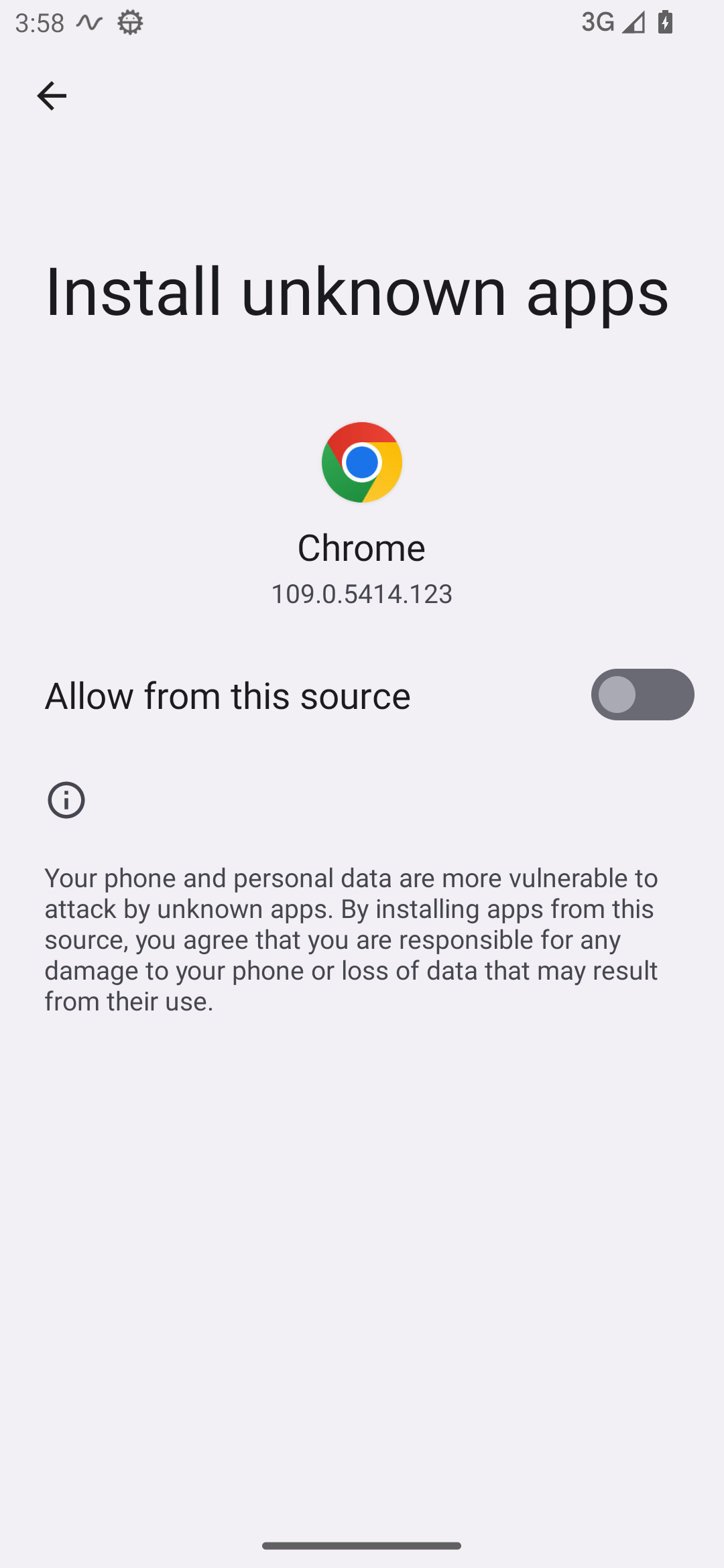
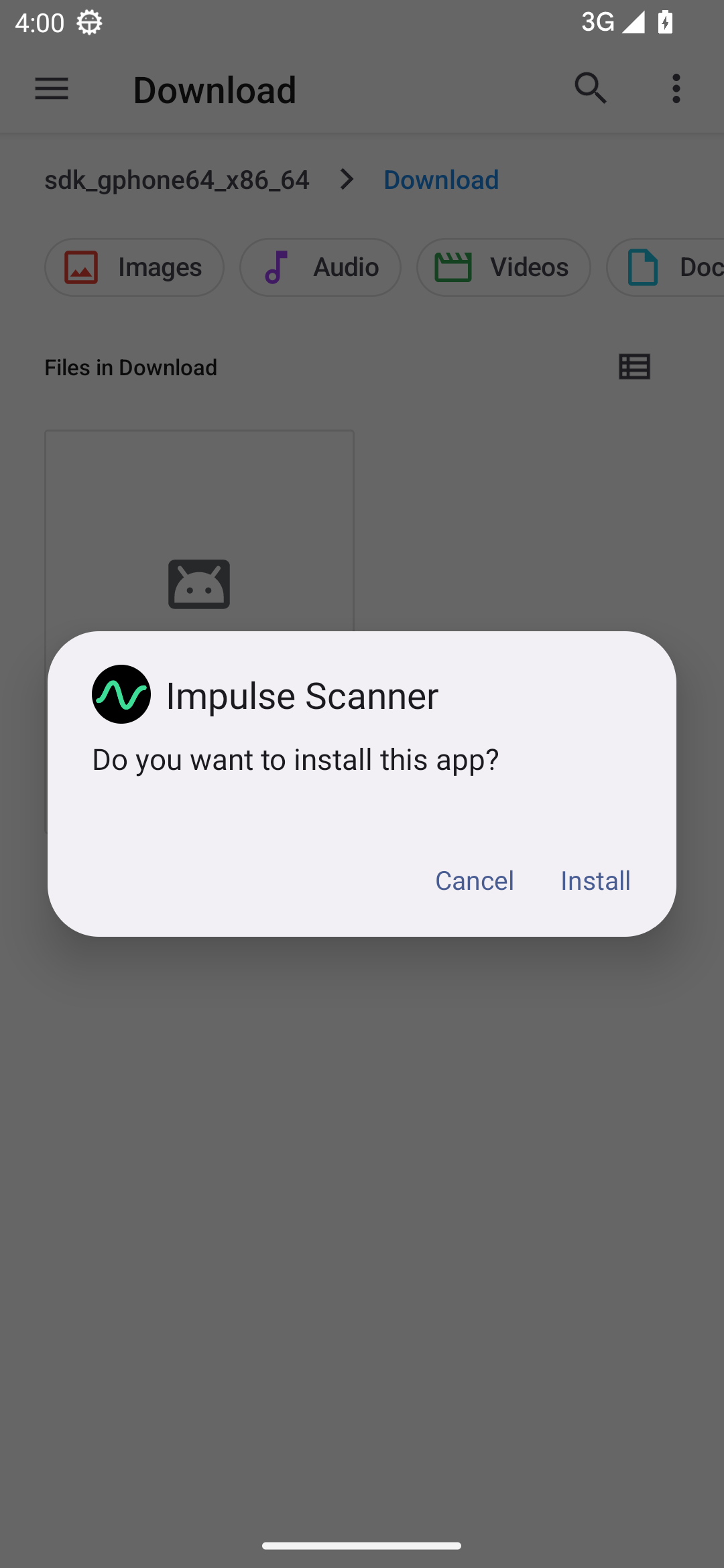
Actual screens from an Android 13 test device. Samsung, Xiaomi and other phones may use different layouts and button names. Play Protect is not pictured: its prompt does not appear on every device.
“Installs from this source are blocked” is Android’s setting for installing outside an app store. It does not by itself mean malware was found. A scan offer is a separate Play Protect check. A harmful-app warning or block needs investigation; we do not recommend disabling protection or bypassing it.
Include your phone model, Android version and a screenshot of the warning. We will help with your specific case.
After installation: allow notifications if you want alerts. The app explains overlay and background permissions separately. An extended Pro trial is available on the Pro tab.
Impulse Scanner is a young, independent project for monitoring cryptocurrency markets. We develop the app through real use and feedback from users. The Android app is available on RuStore and as an APK from our official website.
Android will ask you to allow installation from this source. This is the standard confirmation for installing outside an app store. This message alone does not mean that malware was detected.
On devices with Google Play Protect, keep protection enabled and accept a scan if offered. A new app may need additional scanning. The absence of warnings is not a guarantee of complete security. How Google Play Protect works.
We aim to earn trust through transparency, reliable operation and fixing mistakes.
Current Android release: see the version information next to the download. Published APK checksum (SHA-256): see release information.
Windows. Download the MSI installer and run it — it installs for your user account, no administrator rights needed. The installer is not code-signed yet, so Windows may show "Windows protected your PC": click "More info" → "Run anyway". The app checks for and installs updates itself; every update is signed with our key and verified before it is installed.
It detects changes in cryptocurrency futures prices alongside unusual volume. Thresholds and confirmations help filter markets with elevated activity. A detection is a market observation, not a recommendation to open a position.
No. The app works with public market data only: prices, candles, volumes. It cannot see your accounts or balances and can do nothing on your behalf.
No, and that is a principle. It shows what is happening in the market and historical frequencies with their sample size. The decisions are yours.
No sign-up or ads. Licensing, support and version statistics process technical data. Details in the privacy policy.
Some exchanges restrict access from certain countries or networks. The app shows which exchange is unavailable and works with the rest.
Yes, for Windows 10 and 11 (64-bit). The Pro key is shared: one key works on up to three devices in any mix.
Yes. Tablets get side navigation and wide screens, Android TV a separate remote-friendly interface. Pro moves to the TV by a QR code from the phone.
Pro is currently available in the Android and Windows apps through an extended trial period. Paid activation has not launched yet; Pro access may be extended during early access. Open the Pro tab in the app.
Free, no sign-up. Extended Pro trial in the apps.
RuStore is the main way to install on Android. An APK is available for direct download. How to install the APK.
Get it on RuStore Download APK from website Download for WindowsHow price thresholds, volume and the heatmap work — with practical examples.
 IMPULSE SCANNER